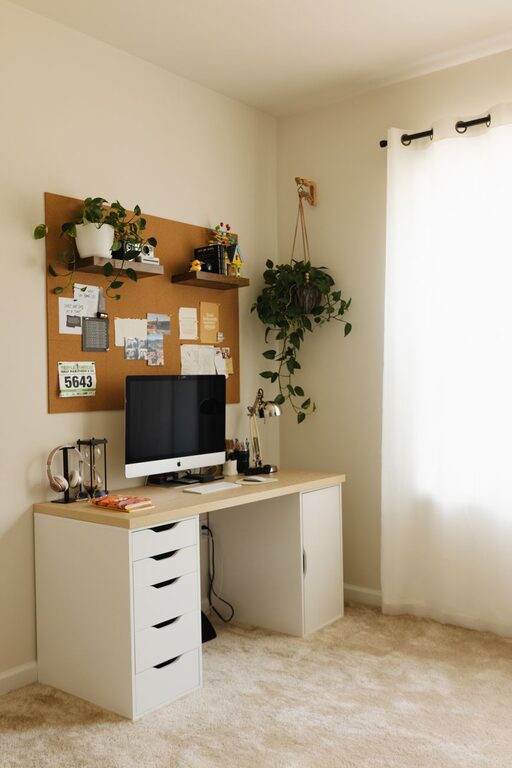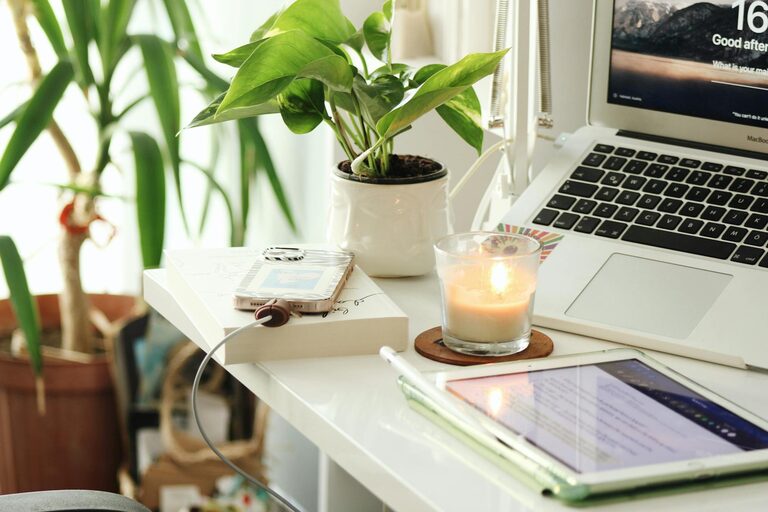
Creating a relaxing home workspace is more important than ever, especially as many people continue to work remotely or split their time between home and office. A calm and comfortable environment can significantly improve your focus, reduce stress, and help maintain a healthy work-life balance. If you want to enhance your home office but aren’t sure where to begin, these practical tips will guide you in designing a space that supports both productivity and relaxation.
1. Choose the Right Location
The first step in creating a relaxing workspace is selecting a suitable spot in your home. Ideally, this space should be:
– Quiet and Low-Traffic: Choose a room or corner away from household noise to minimize distractions.
– Well-Lit: Natural lighting is best for reducing eye strain and enhancing mood. Position your desk near a window if possible.
– Spacious Enough: Ensure you have enough room for your computer, supplies, and some personal touches without feeling cramped.
If space is limited, consider using room dividers or shelves to separate your workspace and help create a sense of boundary.
2. Invest in Comfortable Furniture
Comfort is key for long hours of work. Here’s what to look for:
– Ergonomic Chair: A supportive chair with adjustable height and backrest can prevent posture issues and physical discomfort.
– Desk with Adequate Surface Area: You need room for your computer, keyboard, notebook, and any other tools without clutter.
– Footrest or Adjustable Desk: For added comfort, consider a footrest or even a sit-stand desk to vary your posture throughout the day.
Remember, comfort improves focus and reduces fatigue, leading to better work outcomes.
3. Optimize Lighting
Lighting influences both your productivity and wellbeing.
– Use Natural Light: Exposure to daylight helps regulate your body clock and boosts energy.
– Supplement with Task Lighting: A desk lamp with adjustable brightness can reduce eye strain during late work sessions.
– Avoid Glare and Reflections: Position monitors and light sources to minimize glare on your screen.
Consider soft, warm LED bulbs for a cozy atmosphere during darker hours.
4. Personalize Your Space
Adding personal touches can make your workspace inviting and relaxing.
– Decorate Mindfully: Use calming colors like soft blues, greens, or neutrals.
– Add Plants: Indoor plants improve air quality and create a peaceful vibe.
– Use Art and Inspirational Quotes: Choose images or words that motivate and calm you.
– Comfort Items: A cozy blanket, scented candle, or a stress ball can provide small moments of comfort.
Personalization helps make your workspace a place you want to spend time in.
5. Declutter and Organize
A cluttered desk can lead to a cluttered mind.
– Keep Only Essentials on Your Desk: Store other items in drawers or shelves.
– Use Organizers: Trays, file holders, and cable management tools keep everything tidy.
– Make Use of Vertical Space: Shelves and wall-mounted organizers free up desk space while keeping supplies accessible.
– Establish a Clean-Up Routine: At the end of each day, spend a few minutes tidying your workspace.
A neat environment contributes to mental clarity and efficient workflow.
6. Manage Noise Levels
A quiet space allows better concentration.
– Use Noise-Canceling Headphones: These are helpful if you can’t find a quiet spot.
– Background Music or White Noise: Soft instrumental music or white noise machines can mask distracting sounds.
– Soundproofing Solutions: Rugs, curtains, and wall panels absorb sound and reduce echoes.
By controlling noise, you reduce interruptions and create a more relaxing setting.
7. Maintain Good Air Quality and Temperature
Comfort also comes from a pleasant atmosphere.
– Ventilate Regularly: Fresh air improves alertness and reduces fatigue.
– Use an Air Purifier: This can reduce allergens and dust.
– Control Temperature: Keep your workspace at a comfortable temperature, not too hot or cold.
If your workspace is uncomfortable physically, it’s harder to stay relaxed and productive.
8. Set Boundaries Between Work and Personal Life
A relaxing workspace supports healthy boundaries.
– Define Your Work Hours: Consistent schedules help your brain switch between work and rest modes.
– Turn Off Work Devices After Hours: Minimizing screen time outside work prevents burnout.
– Separate Workspace and Leisure Areas: If possible, keep your work zone distinct from relaxation spots.
Clear boundaries help maintain balance and reduce stress.
9. Incorporate Movement Breaks
Sitting for long periods is not only uncomfortable but also unhealthy.
– Take Regular Breaks: Stretch, walk, or practice simple exercises every hour.
– Use Reminders: Apps or timers can remind you to stand or move.
– Consider a Stretching Corner: Dedicate a small area for quick physical activity.
Movement boosts circulation, reduces stiffness, and refreshes your mind.
Conclusion
Creating a relaxing home workspace is a blend of good design, personal comfort, and smart organization. By choosing the right location, investing in ergonomic furniture, optimizing lighting, and keeping your space tidy and personalized, you can enjoy a productive and stress-free work environment. Remember to manage noise, air quality, and movement to support both your body and mind. With these tips, your home workspace can become a place that inspires creativity and comfort every day.
About the Author